Tactile vs Linear vs Clicky: The Definitive Switch Guide for First Buyers
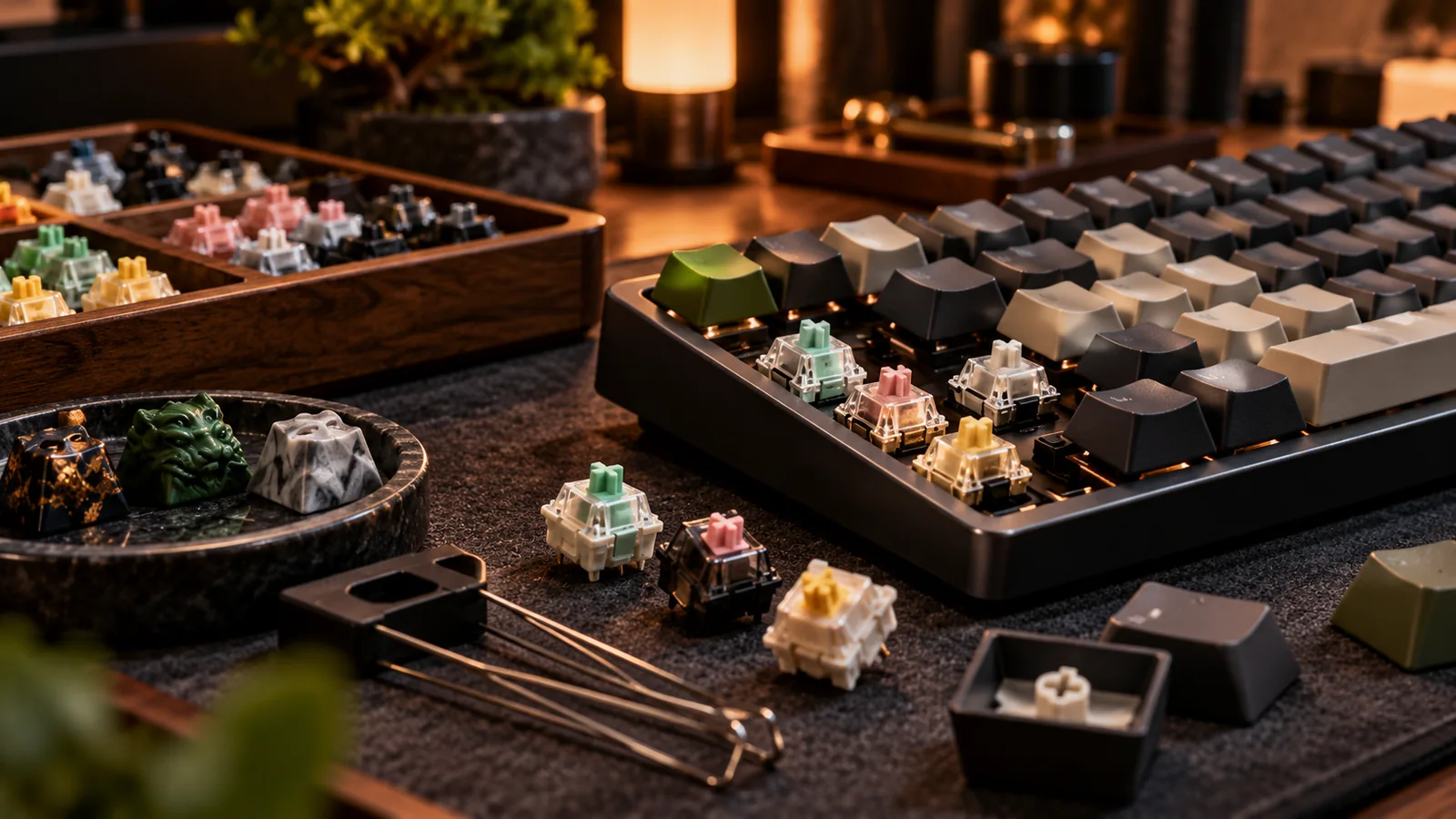
Every mechanical keyboard decision starts with one question: what do you want a keypress to feel like? Switches are the answer, and they come in three families — tactile, linear, and clicky. This guide explains all three in plain English, covers the specs that actually matter, and helps you pick your first (or next) switch with confidence.
The 30-second version
A mechanical switch is a spring-loaded mechanism under each keycap. When you press it far enough, a contact closes and the keystroke registers. The three families differ in what happens on the way down:
- Linear — smooth from top to bottom. No bump, no click. Just consistent resistance from the spring. Think of pressing into soft butter.
- Tactile — a physical bump partway through the press, right around the point where the keystroke registers. Your finger feels the confirmation.
- Clicky — a tactile bump plus an audible click mechanism. You feel it and everyone in the room hears it.
If you want the safest first pick: most newcomers land happily on a medium-weight tactile. It gives clear feedback without the noise, and it works well for both typing and gaming. But "safest" isn't "best for you," so let's go deeper.
Linear switches: smooth operators
Linear switches have no bump and no click. Resistance builds smoothly as the spring compresses, and the keystroke registers silently somewhere in the middle of the travel. The classic reference point is the Cherry MX Red, a light linear that has been the default "gaming switch" for over a decade. Its heavier sibling, the MX Black, offers the same smoothness with a stiffer spring for people who find Reds too easy to press by accident.
Why do gamers gravitate to linears? Rapid, repeated presses. With no bump interrupting the stroke, double-taps and rapid key spamming feel effortless, and the light actuation means less finger fatigue across long sessions. Competitive FPS and MOBA players overwhelmingly choose light linears for exactly this reason.
The trade-off is typing feedback. With no bump, there's no physical signal that a press registered, and newer typists tend to "bottom out" — slam every key to the end of its travel — which can feel harsh and fatiguing until technique adapts. Typo rates on very light linears can also run higher at first, because a resting finger can trigger a key more easily.
The modern linear scene goes far beyond Cherry. Gateron Yellows are a community favorite budget linear, widely praised for being smoother than their price suggests ($). Premium options like Gateron Oil Kings, NovelKeys Creams, and various factory-lubricated boutique linears chase an even glassier feel ($$). "Speed" linears such as the Cherry MX Speed Silver shorten the actuation distance for competitive play, though many typists find them twitchy for prose.
Linears are for you if: you game more than you type, you value smoothness above feedback, or you plan to lube and tune switches yourself (linears benefit most from lubing).
Tactile switches: feel the confirmation
Tactile switches add a bump to the force curve, positioned at or just before the actuation point. Your finger feels a small hill of resistance, crests it, and the keystroke registers. Done well, this creates a rhythm: press, bump, next key. Many people find they type faster and more accurately on tactiles because the bump discourages bottoming out — you learn to release as soon as you feel the confirmation.
The gateway tactile is the Cherry MX Brown. It's ubiquitous, inoffensive, and available on practically every prebuilt board. Enthusiasts often tease Browns for having a faint, "scratchy" bump — the joke is that they're "linears with sand in them" — but millions of people type happily on them every day, and they remain a perfectly reasonable first switch.
Step up one tier and the tactile world gets genuinely exciting. Holy Pandas and their many descendants deliver a large, rounded, early bump that feels like flicking a light switch. Boba U4T switches ("T" for thocky) pair a strong bump with a deep, satisfying sound signature and are among the most-recommended tactiles in the hobby ($$). Zealios V2 offer a buttery, refined bump for people who want tactility without harshness. On the quiet end, the Boba U4 (silent version) delivers a big bump with almost no sound — a favorite for shared offices.
Bump size and position matter more than brand. A small, late bump (Browns) reads as subtle. A large, early bump (Holy Panda style) reads as decisive and "snappy." Neither is objectively better; heavy typists often love big bumps, while people who type lightly for hours sometimes find them fatiguing.
Tactiles are for you if: you type a lot, you want feedback without noise, or you're buying your first mechanical keyboard and want the most forgiving all-rounder.
Clicky switches: the loud minority
Clicky switches take a tactile bump and add a mechanism that produces a sharp, audible click on every press. The famous example is the Cherry MX Blue, whose "click jacket" design snaps down when the bump releases. Kailh BOX Whites use a different mechanism — a click bar — that produces a crisper, more consistent click that many enthusiasts prefer over Blues, often at a lower price ($).
The appeal is honest: clicks are fun. The sound is pure typewriter nostalgia, and the audio-plus-physical confirmation is the strongest feedback any switch offers. Some typists genuinely perform best on clickies.
The problem is everyone else. Clicky switches are disruptive in shared spaces, brutal over open microphones, and grounds for domestic disputes at 11pm. The standing community advice: never bring a clicky board to an office without asking, and never buy clickies as a gift for someone who shares a room.
One historical note worth knowing: the grandfather of all clicky feedback is the IBM Model M buckling spring keyboard, produced from the mid-1980s onward. It isn't technically an MX-style switch at all — a coiled spring buckles under pressure and slaps the housing — and vintage Model Ms remain prized typing machines that are still traded actively on the secondary market. If you want the deepest possible clicky experience, a Model M is a pilgrimage many enthusiasts eventually make ($$).
Clickies are for you if: you work alone, you love the sound, and you accept that your household has veto power.
The specs that actually matter
Actuation force
Measured in grams (technically gram-force or centinewtons), this is how hard you press before the keystroke registers. Common actuation weights run from about 35g (very light) to 45g (light-medium), 50–55g (medium), and 60–80g+ (heavy). Lighter means less fatigue but more accidental presses; heavier means deliberateness at the cost of effort. If you don't know your preference, start around 45–55g actuation — the mainstream center for good reason.
Travel and actuation distance
Full travel on standard MX-style switches is around 4mm, with actuation typically near 2mm. "Speed" switches shorten actuation to roughly 1.0–1.2mm for faster response; short-travel switches reduce total travel too. Most people cannot consciously feel a 0.8mm difference in actuation point, but they absolutely feel differences in bump design and spring weight — prioritize those.
Sound signature: thock vs clack
Beyond clickies, every switch has a bottom-out and return sound shaped by its housing materials, stem, spring, and — hugely — the keyboard it sits in. The community shorthand: "thock" is a deep, rounded sound; "clack" is a higher-pitched, sharper one. Neither is wrong. Just know that the board's mounting style, plate material, and case contribute as much to the sound as the switch does, so a switch that thocks in one board can clack in another.
Factory lube and long-pole stems
Many modern switches ship factory-lubricated, which smooths scratchiness out of the box — a big reason budget switches today feel dramatically better than budget switches from years past. Long-pole stems bottom out earlier on the stem rather than the housing, producing a firmer, clackier stop that some people love and some find abrupt.
Comparison table
| Family | Feel | Sound | Best for | Known examples | Tier |
|---|---|---|---|---|---|
| Linear | Smooth, uninterrupted | Quietest (bottom-out only) | Gaming, rapid inputs, lubing/tuning | Cherry MX Red/Black, Gateron Yellow, Oil King | $–$$ |
| Tactile | Bump at actuation | Moderate; silent variants exist | Typing, first boards, offices | Cherry MX Brown, Holy Panda, Boba U4T, Zealios V2 | $–$$ |
| Clicky | Bump + click | Loud, by design | Solo spaces, nostalgia, max feedback | Cherry MX Blue, Kailh BOX White, buckling spring | $–$$ |
How to actually choose (a decision path)
- Shared space or open mic? Rule out clickies. Consider silent tactiles (Boba U4) or silent linears if noise is critical.
- Mostly gaming? Start with a light linear (Gateron Yellow or MX Red class). If you misfire keys at rest, move up a spring weight rather than switching families.
- Mostly typing? Start tactile. If you try Browns and want more, jump straight to a Holy Panda–style or Boba U4T — don't wander through half-measures.
- Genuinely unsure? Buy a switch tester — a small plate holding one of each of a dozen-plus switches. It's the cheapest way to feel the differences with your own fingers before committing to 70+ of anything ($).
- Board is hot-swappable? Then relax — you can change your mind. Hot-swap sockets let you pull switches and press in new ones with no soldering. If you're buying your first board, hot-swap support is arguably more important than your first switch choice.
The one-sentence cheat sheet: linears for smoothness and gaming, tactiles for typing and all-round first boards, clickies for joy and solitude — and when in doubt, a medium tactile on a hot-swap board keeps every door open.
Common beginner mistakes
Buying 110 switches for a 65% board. Check how many switches your layout needs — a 65% typically needs around 66–68, a TKL around 87–88, full-size around 104–108. Packs are often sold in lots of 10, 35, 70, 90, or 110; buy a few spares, not a second board's worth.
Judging a switch by a sound test video. Microphones, boards, and compression all lie. Sound tests are entertainment; force curves, bump descriptions, and community consensus are data.
Ignoring stabilizers. The rattly noise on your spacebar isn't the switch — it's the stabilizer. No switch upgrade fixes bad stabs; tuning them is a separate (and worthwhile) rabbit hole.
Chasing "best" instead of "yours." Switch preference is as personal as pillow firmness. The hobby's dirty secret is that a well-tuned budget switch in a good board beats an exotic switch in a bad one, every time.
Where the secondary market fits in
Switches are one of the most actively traded items in this hobby. Discontinued runs, drained group buys, and enthusiast destashes mean the used market often carries switches you literally cannot buy new — original Holy Panda components, retired Zeal colorways, vintage Alps and buckling-spring hardware. Lightly used switches are generally safe to buy: they either work or they don't, and a keystroke test reveals everything. It's also the natural place to offload the 70 Browns you outgrew.
A short history, for context
Mechanical switches predate the membrane keyboards that replaced them. Through the 1980s, boards like the IBM Model F and Model M (buckling spring) and various Alps-switch boards defined what typing felt like. Cheap rubber-dome membranes took over in the 1990s because they cost a fraction as much to make — not because they typed better. The modern hobby is, in a real sense, a recovery project: Cherry's MX design (patented in the early 1980s) became the template, its patent expiry opened the floodgates to Gateron, Kailh, and dozens of boutique makers, and the last decade turned a niche forum interest into a mainstream peripheral category. Knowing this helps explain the hobby's reverence for vintage boards — they are not retro affectation, they are the original article.
Silent switches: the fourth option nobody mentions
Both linear and tactile families have silent variants, which use small rubber dampeners inside the stem to soften both the bottom-out and the return click of the slider. Silent linears (like the Cherry MX Silent Red class and Gateron Silent lines) and silent tactiles (the Boba U4 being the community benchmark) make a board genuinely office-safe and mic-safe. The trade-off is a slightly cushioned, less crisp feel at the end of travel — some people describe it as pressing into a firm eraser. If your environment is the constraint rather than your preference, silent switches solve the problem far better than typing gently ever will, and they pair well with foam-dampened cases for a near-inaudible setup.
Hall effect and beyond: what's next
The newest wave in switches isn't mechanical contact at all. Hall-effect and other magnetic switches sense the position of a magnet in the stem, enabling adjustable actuation points and "rapid trigger" behavior where a key resets the instant it moves upward — features that have made them dominant in competitive gaming boards. They feel like linears (smooth, no bump), so everything in the linear section above applies to their feel. For typists, traditional contact switches still offer the wider variety of tactile and sound experiences, and the two ecosystems use different sockets, so they are not interchangeable on the same board. Worth knowing before you buy, so a "gaming" board's switch type doesn't surprise you.
Frequently Asked Questions
Many typists prefer tactiles because the bump provides physical confirmation of each keystroke and discourages bottoming out, which can improve rhythm and reduce fatigue. But plenty of fast, accurate typists use linears. It is preference, not performance law — a switch tester is the cheapest way to find yours.
Not inherently — the click does not slow actuation meaningfully. The practical problems are noise over voice chat and the slightly interrupted stroke during rapid double-taps, which is why most competitive players choose light linears instead.
A medium-weight tactile (Cherry MX Brown class, or a Boba U4T if you want a stronger bump) on a hot-swappable board is the most forgiving starting point. Hot-swap matters more than the switch itself, because it lets you change your mind without soldering.
Roughly: 60% boards need about 61–64, 65% boards about 66–68, TKL about 87–88, and full-size about 104–108. Always check your specific board's switch count and buy a few spares.
Yes, and many people do — for example, heavier switches under the spacebar and modifiers, lighter ones under alphas. Any MX-style switch fits any MX-compatible hot-swap socket or plate.